Keyboard-centric web
While practicing for Azure certifications, I came to think about how nice it would be to be able to navigate their online practice assessments by keyboard. Most questions are multiple-choice, plus a button to go to next question. If I could create a macro for hitting each of the answers, it would be much easier than moving my mouse back and forwards. The answers and buttons can vary in their position based on how much text there is in the question, which means this can't be automated by mapping keys to mouse coordinates + a click. However, the markup is virtually the same for every question, so if you could just simulate a click on an element, identified by a css selector, you could programmatically trigger these buttons.
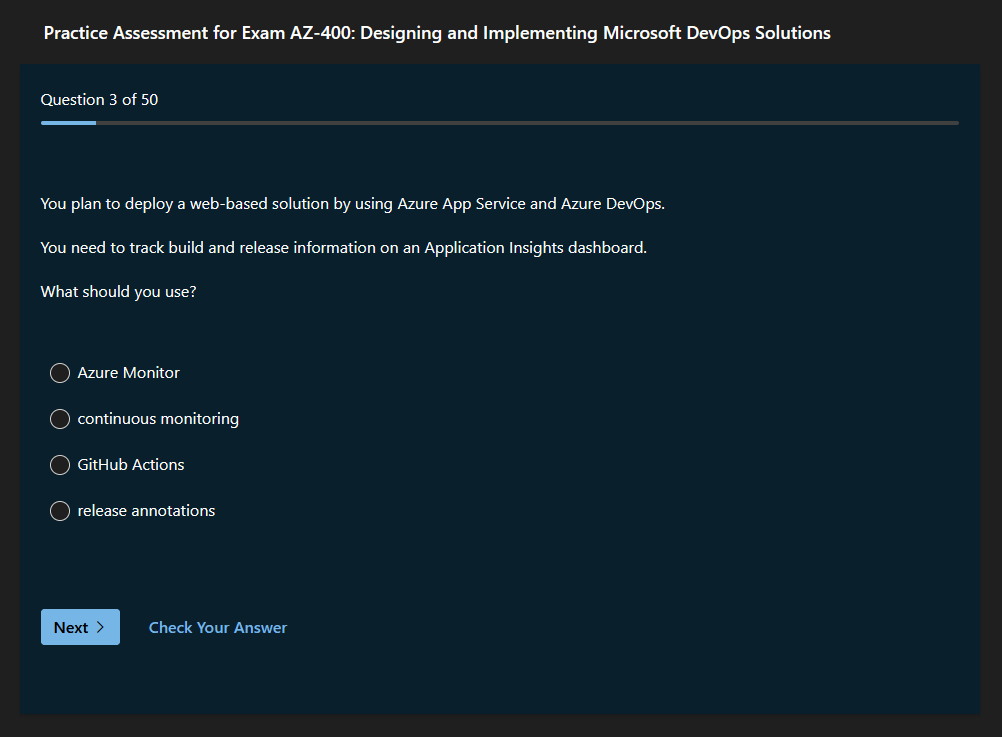
It is only natural that the web is mouse-centric, as users are expected to be able to browse pages without needing to learn keyboard bindings for every new site. However, the web is encroaching on every common computer use, replacing many applications that were previously desktop-native. Mail is moving to web, file storage is moving to web, instant messaging is moving to web, and a lot of the software you still run as standalone applications (Spotify, VSCode, Figma), still runs in a simulated browser environment using Electron. Building all software in this way does mean that users rarely need to consult a user manual, but we are losing the ability to use software efficiently.
Some applications and websites implement keyboard shortcuts, which greatly improves the experience for users who use them often. Figma, Linear and Spark are good examples of this. Most of these apps show keyboard shortcuts next to on-screen buttons or menu elements, which teaches the user how to interact with it in a natural way.
Since I began using GNOME on Linux, I've been positively surprised by the clean UI and good UX on both the official GNOME applications and many of the community applications made using GTK. In particular, most of these applications adhere to the same keyboard mappings, making them quite pleasant to use. I looked into this, and it turns out GNOME has an official guideline on how to implement keyboard mappings, and provides a bunch of default mappings that they recommend all applications implement. This is really an amazing initiative.
Unfortunately, many applications and websites that do implement keyboard mappings, only go half-way. In YouTube, you can fullscreen videos, toggle close captions, skip forwards/backwards, etc. The video player has plenty of useful shortcuts, but there is no way to navigate to videos or comments without frantically hitting tab until the desired element is highlighted. Yet the YouTube app for smart TVs is perfectly keyboard-centric, as the entire app can be navigated with just four directional buttons and a select button. Ultimately, having some keyboard mappings is still way more helpful than no keyboard mappings. If I frequently have to navigate an application with my mouse, but some actions like changing tool in an image editor can be done with the keyboard, it still improves ergonomics a little.
So I made a browser extension for firefox that lets you pick an element on any site, and assign a keyboard shortcut to it. This worked great, but ironically, my MVP was entirely reliant on the mouse to operate...
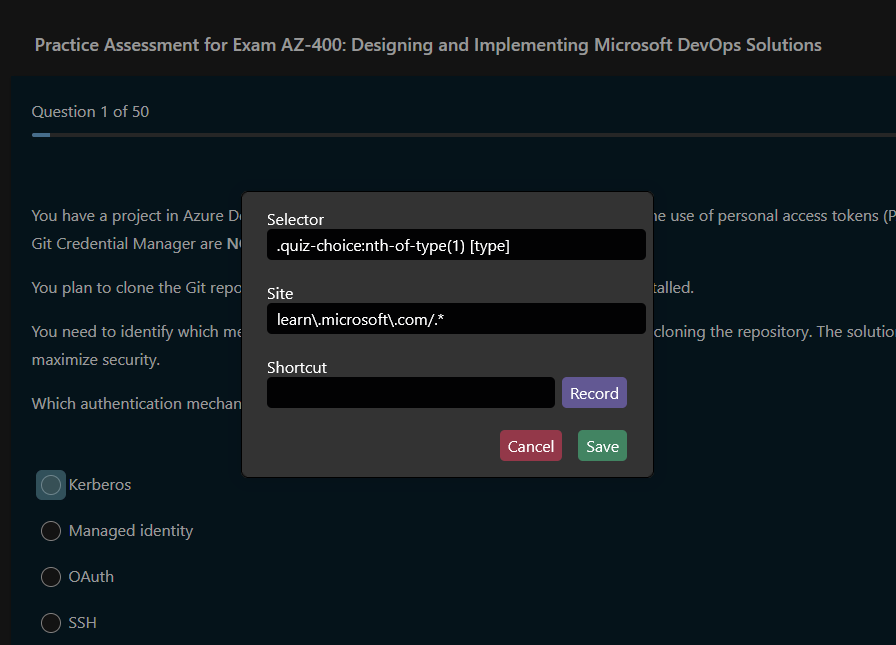
I decided that if I was making a tool for relieving mouse usage, I should try to set an example for good keyboard integration. Thus, I added shortcuts for focusing input fields, clicking buttons, showing help, and labeled everything with the corresponding keyboard mapping. The actual element picking is still only doable with a mouse, because it would be very difficult to do this with the keyboard.
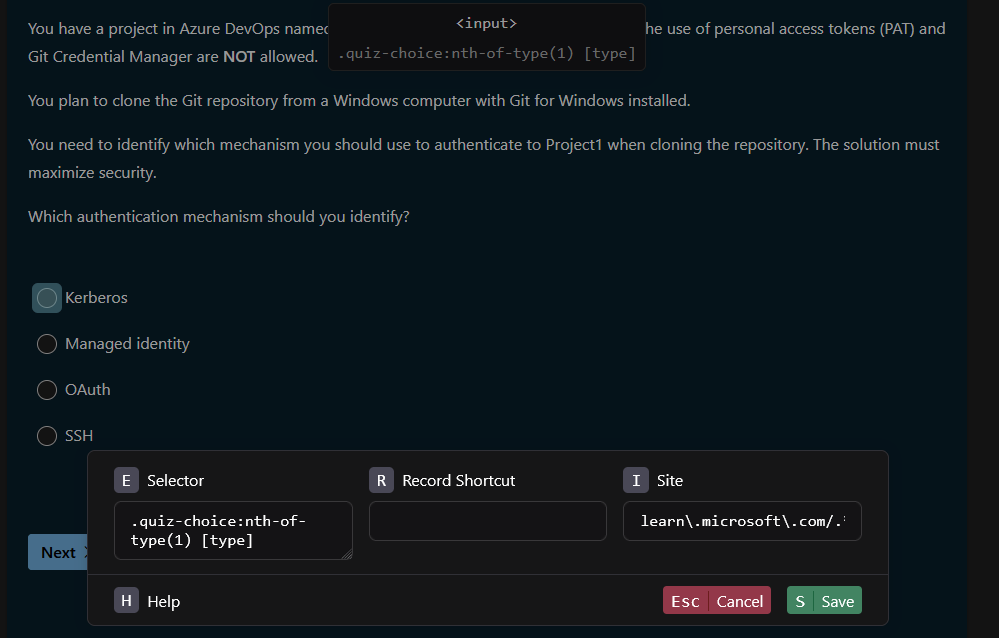
Now I can do practice assessments blazingly fast with keyboard shortcuts, and I have my first browser extension to show for as well. I'm happy with my result, but creating a keyboard-centric application made it very apparent why not everyone does this. It takes a lot of extra work in order to create shortcuts, label every action, and communicate everything to the user in a clean manner. HTML/CSS gives you NOTHING to work with. There is no streamlined way to add shortcuts for buttons, input fields, select, etc. Everything has to be done through javascript event listeners. You must manually handle shortcut collisions, prevent event propagation, and label and style button hints.
If you want to try this tool, you can check it out in the firefox addon store.
Since making this extension, I've found some unexpected use cases. On most websites with a search bar, I now create a shortcut that focuses the search bar. I didn't even know this was possible when I made the application! This means I can immediately begin searching when visiting a website, rather than having to switch to mouse just to press a search bar before switching back to keyboard. I've also gone and cleaned up my YouTube watch later playlist. Normally you have to press three dots on a video, then press "remove" from a drop-down menu to remove a video, which is enough friction that I would rarely bother to remove watched videos. But now I can just click the three dots and press a keyboard button at the same time to instantly remove it. I'm sure more use cases will appear as I use it. It feels like I've regained a little control over how I use my computer.